Building an easy-to-use blog with Nuxt Content
How do you build an easy-to-use blog with Nuxt?
With the Nuxt Content module.
You create a blog/ directory inside a content/ folder, and store your blog posts there as Markdown, YAML, CSV or JSON files.
There is no third-party CMS to set up and no external service.
Fetching the list of posts
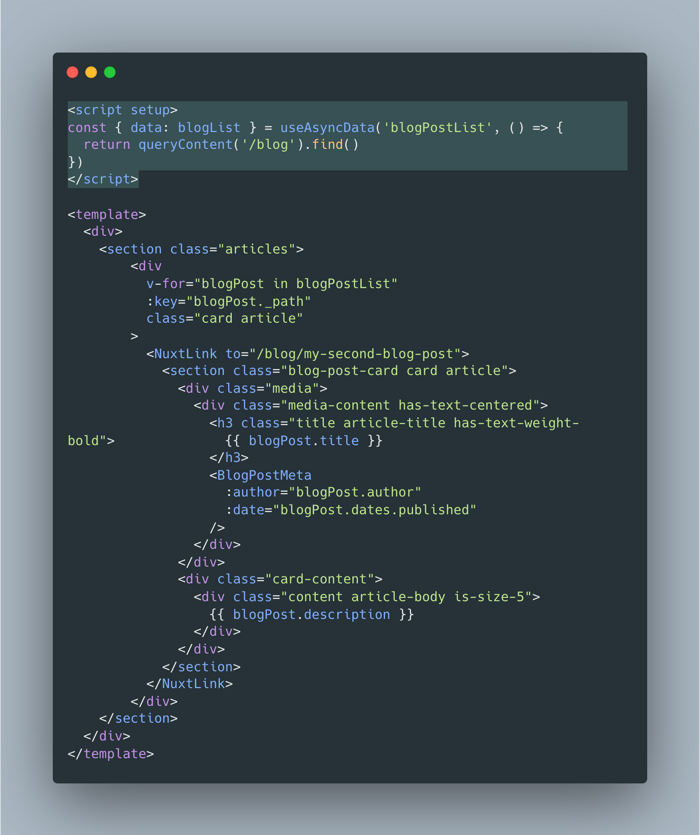
In the BlogList.vue page, one line is enough to fetch the posts:
<script setup>
const { data: blogList } = useAsyncData('blogPostList', () => {
  return queryContent('/blog').find()
})
</script>
Displaying a post
For the post pages, the [...slug].vue page only has to call:
<script setup>
const { path } = useRoute()
const { data: blogPost } = await useAsyncData(`content-${path}`, () => {
  return queryContent().where({ _path: path }).findOne()
})
</script>
to fetch the post matching path.
Vue components inside Markdown
Note that with Nuxt Content, you can easily embed a Vue component (a counter, for example) directly inside a Markdown blog post:
---
title: My new blog article
---

## Title

Text

<Counter></Counter>